> For the complete documentation index, see [llms.txt](https://docs.paveapi.com/llms.txt). Markdown versions of documentation pages are available by appending `.md` to page URLs; this page is available as [Markdown](https://docs.paveapi.com/how-pave-works/identified-vehicle-information.md).
# Identified Vehicle Information
Consistent and accurate data captured on every vehicle.
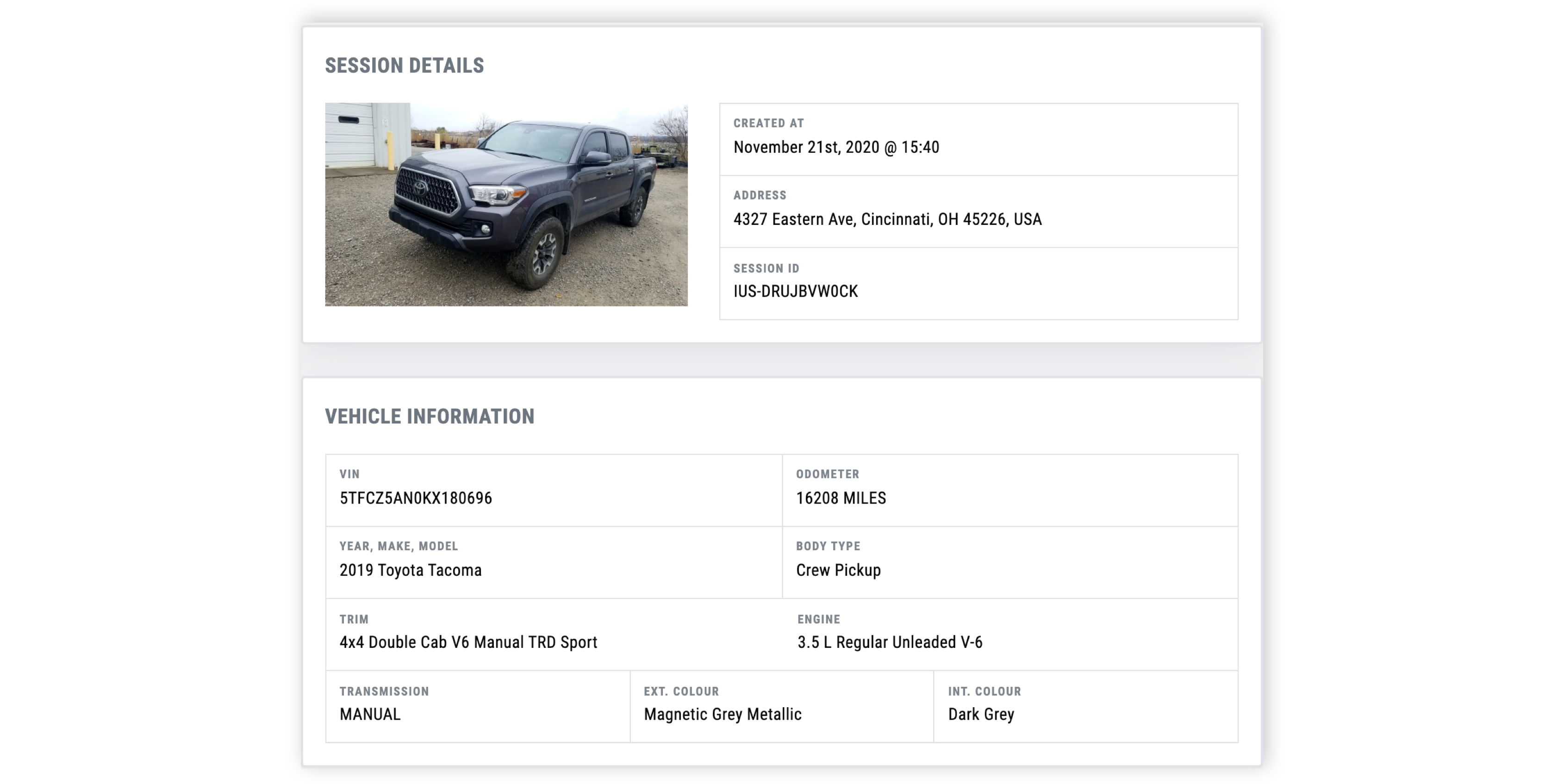
**PAVE gets you all the vehicle information:**
* **Full Address of Capture Location (May Not Always be the User's Residence)**
* **VIN (Vehicle Identification Number)**
* **Exact Odometer Reading (Including Mileage Type)**
* **Year, Make, Model**
* **Trim is Identified and Mapped by PAVE If Any Visual Clues Like Badging is Available.**
* **Transmission**
* **Exterior and Interior Factory Color Name**